
 AI Humanizer is a tool I created to make LLM generated content sound more natural by removing common indicators of AI created text. The idea is that you can run your AI written documents through the humanizer, and it automatically gives you something that sounds more natural than what you started with.
A few months back, in this project, I dove into the detection of AI generated text to see if I could discern LLM and Human created content. The genesis of that tool was described here. During that project, I learned a lot about what distinguishes human created text from LLM generated text, based in part on a scientific study you can find published here.
I decided to apply those same principles in reverse, to essentially “humanize” AI generated text content. My goal was to apply many of the same rules I used for detection, but instead of flagging them, I remove them where possible. The resulting text, then, should sound more human than the original AI generated text.
Try out the tool here.
Download the code from GitHub here.
Read on for more details!
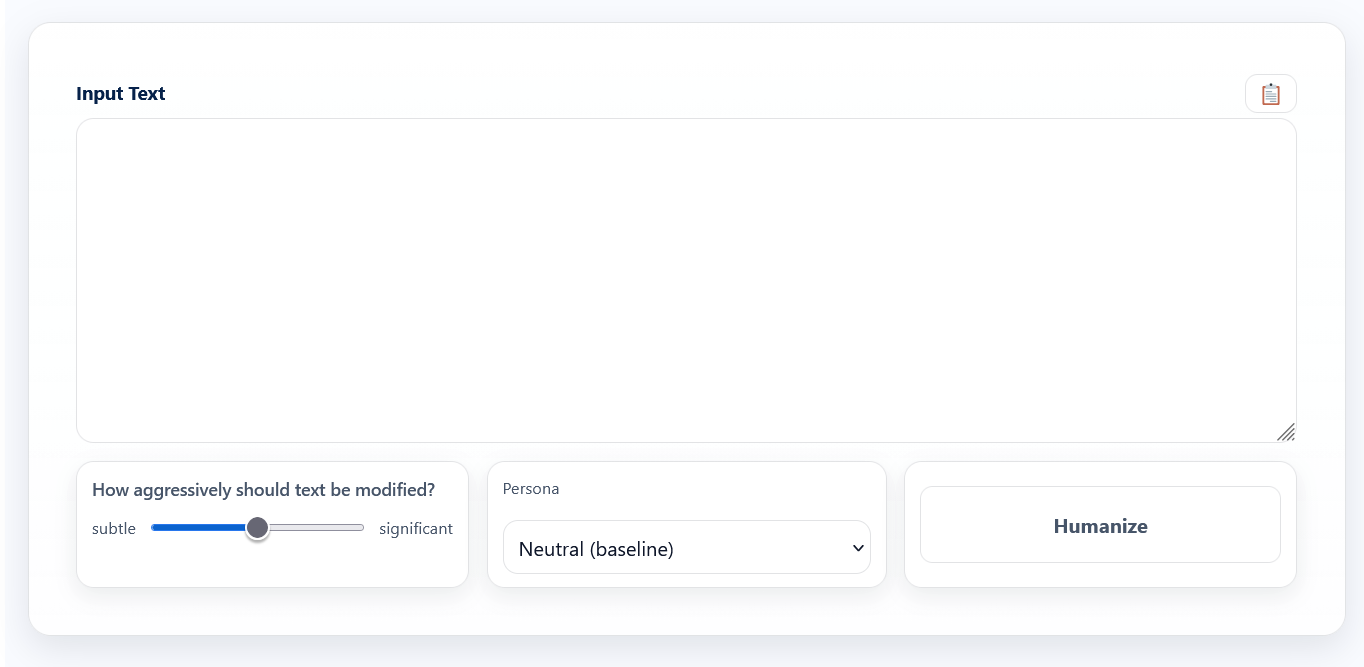
You can see there are a couple controls on the tool, under the text input box. The first is an aggressiveness slider. This is used to control how aggressive the tool should be in making changes and word substitutions. Next is the “Persona” dropdown box. These are predefined settings that try to personalize or customize the output to a particular type of communication. For example, the academic persona adds more hedges than the engineering persona.
The personas are managed via an external configuration file called personas.php. If you are saavy, you can actually add your own personas there, and fiddle with the various settings to make a persona that sounds just like you!
What the Project Detects and Updates
- Dash Overuse & Dash Style
Detects excessive em dashes and hyphen breaks common in AI-generated text and converts them into commas, periods, or parentheses when appropriate, while preserving valid hyphenated terms, dates, versions, and identifiers. - Unnatural Sentence Breaks
Identifies dash-based interruptions within sentences and restructures them into smoother, more natural sentence flows that read like human-written prose. - Remove Certain Words
Removes or replaces words identified by this study as being common indicators of AI generated text. - Contraction Opportunities
Converts formal phrase pairs (such as “do not” or “it is”) into natural contractions (“don’t,” “it’s”) in casual contexts, while avoiding sentence starts and protected content. - Overly Formal or Generic Phrasing
Replaces stiff, vague, or AI-heavy wording with clearer, more natural alternatives based on the selected writing persona. - Repetitive Sentence Openers
Detects repetitive or robotic sentence beginnings and occasionally inserts natural human-style lead-ins, with strict limits to prevent overuse. - Missing Human Qualifiers (Hedges)
In academic or formal writing, selectively adds cautious qualifiers such as “to some extent” or “in many cases” to better reflect human reasoning and uncertainty. - Technical Context Signals
In technical personas, inserts real-world framing phrases like “In practice” or “Under the hood” to signal hands-on experience rather than abstract explanation. - Overuse of Intensifiers
Removes or softens vague intensifiers such as “really,” “very,” and “quite” when they reduce clarity, precision, or professionalism. - Sales & Marketing Flatness
In marketing mode, detects benefit-light language and may add a single outcome-focused sentence to emphasize value, while avoiding repetitive or overly promotional phrasing. - Spacing & Punctuation Noise
Cleans up extra spaces, awkward punctuation spacing, and duplicated commas that commonly appear after automated text generation or editing. - Protected Content Preservation
Detects and preserves content that should not be modified, including URLs, email addresses, code snippets, dates, version numbers, and list items. - Over-Humanization Safeguards
Limits how many changes can occur, how close together they appear, and when they are allowed, ensuring the text remains natural without sounding rewritten or artificial.
Does this tool always remove AI influence from text based content? No.
But it DOES remove some AI patterns of speech and hopefully produce a more natural sounding output.
Be WARNED! Sometimes it messes things up! If you have lists or other specific formatting in your text, it will probably mess it up. I’m focused on the content, not the formatting. It also sometimes messes up content. I am not using an LLM to fix the output, I’m doing this the old fashioned way. It only works on English language content.
 Like I said in my previous article on detecting AI influence, this whole effort becomes a race to identify new ways of remediating AI generated writing/speech/images, while the various companies behind these products attempt to make them more and more human like. Its a race that I don’t want to join in earnest. I could keep updating this thing to stay a step ahead and make more reliable human sounding text. But I’m not going to.
Want to try the tool out? You can play with it here.
Or download it from GitHub here.
This entire article was written manually, one keystroke at a time, by me.
What do you think? Let me know in the comments below.